How to Design a Book Cover: A Beginner’s Guide
BOOK DESIGN
A great book cover does more than make your book look attractive. It tells potential readers what kind of book they’re looking at, creates the right expectations and gives them a reason to take a closer look.
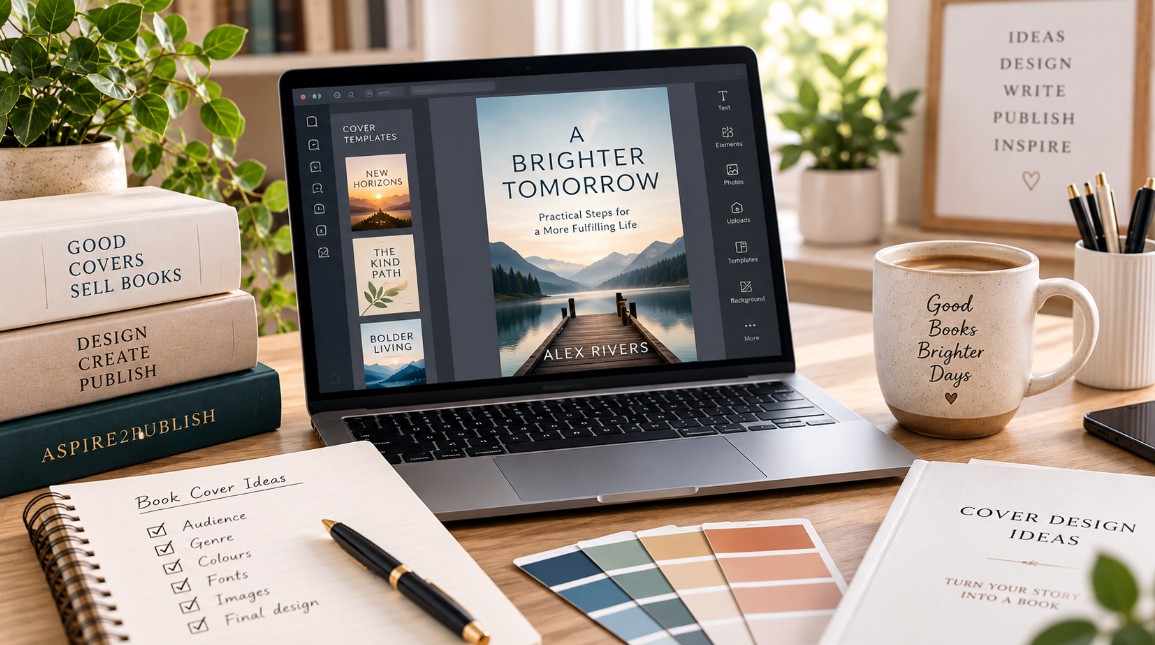
Designing your own book cover can feel intimidating, particularly if you’re not a designer.
There are fonts to choose, images to source, dimensions to understand and decisions to make about colour, layout and typography.
But learning how to design a book cover becomes much easier when you understand what the cover is actually supposed to achieve.
Your goal isn’t simply to create something you personally like.
Your goal is to create a professional-looking cover that communicates your book’s genre or subject, works at thumbnail size and appeals to the readers you want to reach.
Here’s where to begin.
What Makes a Good Book Cover?
A good book cover communicates quickly.
When someone sees your book on Amazon or another retailer, they should be able to get an immediate sense of:
- what kind of book it is;
- who it might be for;
- what tone or feeling to expect; and
- whether they want to know more.
Readers have already developed expectations about what books in different categories look like.
A thriller doesn’t usually look like a business book. A children’s picture book doesn’t look like a memoir. A contemporary romance doesn’t look like a historical biography.
That doesn’t mean your cover has to look identical to every competing book.
It means your design should give readers enough familiar visual signals to understand where your book belongs.
Good book cover design balances familiarity with distinction.
How to Design a Book Cover Step by Step
Step 1: Understand Your Reader
Before opening Canva or choosing a photograph, think about the person you’re designing for.
Ask:
Who is most likely to buy this book?
What other books are they already reading?
What would make this book feel relevant to them?
Your ideal reader should influence almost every design decision you make.
A colourful, playful design might work beautifully for one audience and feel completely wrong for another.
Start with the reader rather than the design.
Step 2: Research Other Books in Your Category
One of the most useful things you can do before designing your book cover is study successful books that already serve a similar audience.
Search Amazon for books in your genre or subject and look at the covers together.
Don’t copy individual covers.
Instead, look for patterns.
Notice:
- fonts;
- colours;
- photography versus illustration;
- title placement;
- subtitle placement;
- amount of empty space;
- image styles; and
- overall mood.
Then zoom out or look at the books as small thumbnails.
Which ones immediately catch your attention?
Which ones are easy to understand?
Which titles remain readable?
This research gives you a visual language for your category.
Step 3: Decide What Your Cover Needs to Communicate
Before worrying about individual design elements, decide what you want someone to understand or feel when they first see your book.
For fiction, that might be:
What genre is this?
What mood does the story create?
What type of reading experience can I expect?
For nonfiction, it might be:
What is this book about?
What problem could it help me solve?
Is this relevant to me?
Try completing this sentence:
When my ideal reader sees this cover, I want them to immediately think __________.
That answer gives your design a direction.
Step 4: Create a Strong Visual Hierarchy
Not every element of your cover should demand equal attention.
A reader’s eye needs somewhere to go first.
Usually, that will be the title or the central visual.
Then the eye moves to secondary information such as the subtitle, author name or supporting imagery.
Think in terms of:
Primary: What should readers notice first?
Secondary: What should they notice next?
Supporting: What information still needs to be there without competing for attention?
If everything is large, bold and colourful, nothing truly stands out.
Good design creates hierarchy.
Step 5: Choose Your Typography Carefully
Typography is one of the most important elements of book cover design.
Your font needs to do two jobs:
- communicate the right tone; and
- remain readable.
A decorative font might look beautiful at full size but become impossible to read when your cover appears as a tiny Amazon thumbnail.
Try to avoid using too many fonts.
For many covers, one strong typeface or a carefully chosen combination of two is enough.
Also pay attention to:
- font weight;
- letter spacing;
- line spacing;
- capitalization;
- alignment; and
- contrast against the background.
Your typography should look intentional rather than simply added on top of an image.
Step 6: Choose Images and Graphics That Support the Book
Your image doesn’t need to explain the entire book.
It needs to support the message.
Depending on your category, your cover might use:
- photography;
- illustration;
- abstract graphics;
- patterns;
- symbols;
- typography alone; or
- a combination of these.
Avoid adding images simply because you like them.
Ask instead:
Does this image help communicate what the book is about?
And just as importantly:
Will my intended reader understand what it is communicating?
If you’re using stock photography, check the licensing terms carefully to make sure the image can legally be used on a commercial book cover.
Step 7: Use Colour With Purpose
Colour helps establish mood and can strongly influence the first impression of a cover.
But there’s no single “best” colour for a book.
The right choice depends on your genre, audience and positioning.
Look again at comparable books.
You may notice certain colour families appearing repeatedly within your category.
You don’t necessarily need to follow them exactly, but understanding those conventions can help you make deliberate choices.
Most importantly, create enough contrast between your background and text so the title remains easy to read.
Step 8: Design for Thumbnail Size
This is one of the easiest things for first-time authors to overlook.
Your beautiful full-size cover may spend much of its life looking something like this:
[small thumbnail]
Readers browsing online often encounter a book at a very small size.
Regularly shrink your design while you’re working on it.
Ask:
Can I still read the title?
Can I understand the main image?
Does the design still have impact?
If important details disappear completely at thumbnail size, consider simplifying the design.
Step 9: Design the Full Print Cover
If you’re publishing a paperback or hardcover, you need more than the front cover.
A print cover generally consists of:
Back Cover | Spine | Front Cover
The exact dimensions depend on factors such as:
- trim size;
- page count;
- paper type;
- binding; and
- publishing platform.
This means you shouldn’t guess your final cover dimensions.
Your publishing platform will normally provide specifications or a cover template based on your book.
For example, Amazon KDP’s cover calculator and templates can help authors determine the dimensions required for a print cover.
Complete your interior formatting first, or at least establish the final page count, before producing your final print cover because page count affects spine width.
Step 10: Decide Whether to DIY or Hire a Designer
You don’t necessarily have to design your own cover.
There are three broad approaches:
DIY: You create the cover yourself using software such as Canva or another design tool.
Template-based: You begin with a professionally designed template and customize it for your book.
Professional designer: You hire someone to create the cover for you.
There isn’t one right answer.
Your budget, design ability, genre and publishing goals all matter.
If you’re creating your own cover, be willing to recognize when a design isn’t quite working.
Hiring a professional isn’t admitting defeat.
Sometimes it’s simply the most effective way to give a book the presentation it deserves.
Common Book Cover Design Mistakes
When you’re learning how to format a book, watch particularly for these beginner mistakFirst-time authors often try to communicate too much on the cover.
That can lead to designs with too many fonts, too many images, too many colours and too little visual hierarchy.
Other common mistakes include:
- choosing a design based only on personal preference;
- ignoring genre conventions;
- making the title difficult to read;
- using low-resolution images;
- using images without appropriate commercial rights;
- creating weak contrast between text and background;
- making the author name unnecessarily prominent;
- forgetting to test the cover at thumbnail size; and
- designing the print cover before knowing the final specifications.
A simpler, deliberate design will often look more professional than one filled with unnecessary elements.
Your Book Cover Design Checklist
Before finalising your cover, check:
✓ Target reader identified
✓ Comparable book covers researched
✓ Genre or subject is clear
✓ Title is easy to read
✓ Typography suits the book
✓ Images are high resolution
✓ Image licences allow commercial use
✓ Colours provide sufficient contrast
✓ Cover works at thumbnail size
✓ Subtitle is readable, if applicable
✓ Author name is appropriately positioned
✓ Print dimensions are correct
✓ Spine width is based on final page count
✓ Back cover is complete
✓ Barcode area has been considered
✓ Final proof has been carefully checked
Then view the cover somewhere other than your design software.
Seeing it in context can reveal problems you stopped noticing while working on it.
Your Cover Is Part of Your Book’s Marketing
Learning how to design a book cover isn’t only about making your finished book look professional.
Your cover is one of the first pieces of marketing a potential reader encounters.
Before they read your description, reviews or sample pages, they may already have formed an impression based on the cover.
A strong cover doesn’t guarantee someone will buy your book.
But it can encourage the right reader to stop, look closer and discover what your book has to offer.
That’s the job of good book cover design.
Ready to Design Your Book Cover?
Once you understand your reader and the visual conventions of your category, you can begin turning those ideas into an actual design.
Explore more Book Design resources from Aspire2Publish for practical guidance on typography, Canva, book cover dimensions and working with professional designers.
Explore Book Design Resources →
Continue Your Author Journey
Once your book is taking shape, explore more Aspire2Publish guides and resources:
Book Editing
Make sure your manuscript is polished before preparing it for publication.
Book Formatting
Learn how to prepare your manuscript for ebook and print publication.
Book Publishing
Take your completed book from finished files to publication.